

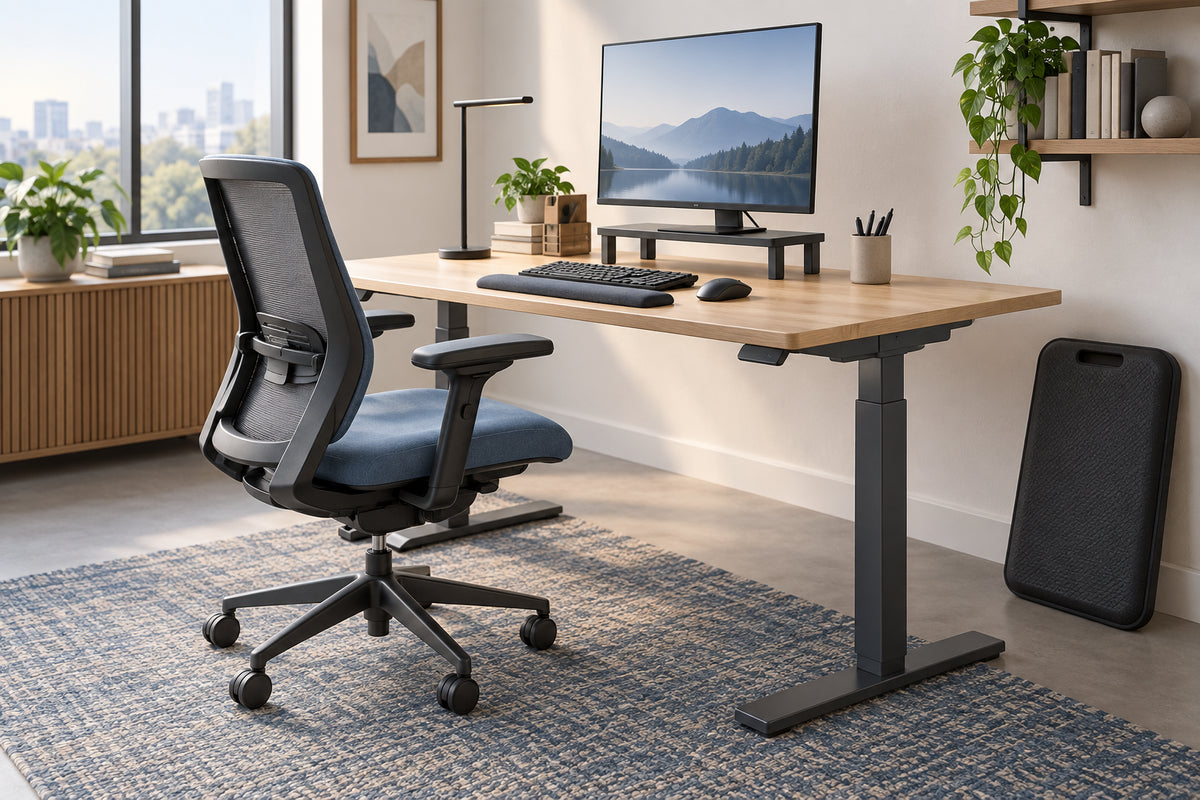
Editorial illustration of ergonomic workstation. Products, proportions and layouts are illustrative.
Work from home ergonomics in India means fixing screen height, elbow angle, and lower-back support before buying any new furniture. Most home setups fail on positioning, not equipment. Get the geometry right first, since a ₹40,000 chair at the wrong height still causes the same neck and wrist strain as a dining chair.
Why Indian Home Setups Fail Ergonomics First
Standard Indian office furniture is built to a fixed 74-75 cm desk height regardless of who sits at it, and most home workers use a dining table, a bed, or a sofa instead, none of which were designed for eight hours of screen work. A 2022 study in the Indian Journal of Occupational and Environmental Medicine found 29.6% prevalence of upper-limb strain symptoms among IT professionals working long hours at desks not sized for them. The pattern repeats at home: laptop screens sit 15-20 cm too low, forcing the neck forward, while dining chairs offer no lower-back support for a full workday. Compact flats compound the problem, since there is rarely room for a dedicated office setup, so the same table serves meals, study, and eight hours of work. Many households also share one table across two or three people working staggered shifts, which means the setup gets reconfigured, or ignored, every few hours. None of this needs a full furniture replacement to fix. It needs the screen, chair, and hands positioned correctly, in that order, before a single rupee goes toward new furniture.
Fix the Screen Height First
Neck strain is the most common WFH complaint, and it almost always traces back to a laptop screen sitting too low. Raise the display until the top of the screen sits at or just below eye level, using a stand, a stack of books, or a monitor riser, then add an external keyboard and mouse so your hands stay at desk height instead of hovering over a raised laptop. Position the screen roughly an arm's length away to reduce eye strain, and angle it away from windows to cut glare, since Indian homes often place the only usable desk right next to a bright window. This single change, more than any purchase, resolves the largest share of early WFH neck pain, because it removes the sustained forward head posture that loads the cervical spine for hours at a stretch. Skip this step and every other fix works at a discount, since a perfectly supported lower back still leaves the neck straining toward a screen that sits too low. A second monitor, where one is available, should sit at the same eye-level height as the laptop, not lower, to avoid the same forward-neck pattern on a second screen.
Support the Lower Back and Elbow Angle
Once the screen is fixed, the chair and desk height matter most. Sit back fully in the chair rather than perched at the edge, and add a cushion behind the lower back if the chair offers no lumbar support, which most dining and study chairs do not. Adjust seat height, or add a cushion under you, until your elbows rest at roughly 90 degrees when your hands reach the keyboard. Feet should sit flat on the floor or a footrest, with thighs roughly parallel to the ground; if the chair is too high for your feet to reach the floor, a stack of old books under each foot works as well as a purpose-built footrest. A neutral wrist position depends on this elbow angle being correct first; a wrist rest cannot compensate for a desk that sits too high or too low for the chair under it. This matters because the wrist bends up or down to reach a keyboard at the wrong height no matter what sits under the palm. Revisit this check every few months, since a new chair, a different room, or even a change in typical footwear can shift the elbow angle enough to undo a setup that used to be correct.
Close the Remaining Gaps With the Right Gear
| Problem | Fix | Typical Price (India) |
|---|---|---|
| Screen too low, neck strain | Laptop stand or monitor riser | ₹399-1,200 |
| No lower-back support | Lumbar cushion or supportive chair | ₹600-3,500 |
| Wrist bends during long typing sessions | Wrist rest paired with correct desk height | ₹399-899 |
| Hard desk surface, forearm fatigue | Padded desk mat | ₹899-1,999 |
| Glare and awkward cable routing | Repositioned desk, basic cable ties | ₹0-300 |
Gear closes gaps that geometry alone cannot, but only after position is correct. The Chemistors Ergonomic Mouse Wrist Rest keeps the wrist floating rather than pressed against a hard table edge, which matters most once elbow and desk height are already aligned. A wireless charging desk mat adds a padded forearm surface and removes one charging cable from a desk that is often already cramped, a small but real win in a shared room. None of these items fix a badly positioned screen or an unsupported lower back on their own, which is why the order matters more than the shopping list.
Common Setup Mistakes That Undo Good Ergonomics
A common mistake is fixing the chair and ignoring the screen, which leaves the neck problem untouched even after the back feels better. Another is assuming an expensive setup guarantees good posture. A high-end mesh chair paired with a laptop propped on a stack of books at the wrong angle still causes strain, because price does not fix geometry. Working from a bed or a sofa for anything beyond a short call is the single worst habit for WFH ergonomics in India, since neither offers back support or a stable surface for keyboard height. Skipping breaks is the last mistake worth naming: no chair or wrist rest replaces standing and stretching every 45-60 minutes, since static posture, even a correct one, causes stiffness over a full day. A less obvious mistake is copying someone else's setup exactly. Screen height, elbow angle, and chair support all depend on your own height and torso length, so a setup photographed from a colleague's desk is a starting reference, not a template to replicate measurement for measurement. Full context on setup-wide fixes, beyond posture alone, lives in the complete home office setup guide for India.
Frequently Asked Questions
What is WFH ergonomics and why does it matter in India? WFH ergonomics is arranging a home workspace so the screen, chair, desk, and accessories fit your body and support good posture through a full working day. For a fuller definition, see what is WFH ergonomics. It matters in India specifically because most home furniture, dining tables and study chairs, was never built for eight-hour screen work.
Can I fix WFH ergonomics without buying new furniture? Yes, in most cases. Raising a laptop on a stack of books to eye level, adding a cushion behind the lower back, and keeping elbows at 90 degrees with a low keyboard fixes the majority of posture problems without a single purchase. Gear like a stand or wrist rest closes the remaining gaps affordably.
How do I know if my WFH desk height is wrong? If your shoulders hunch to reach the keyboard, or your wrists bend upward while typing, the desk sits too high relative to your chair. If your elbows drop below 90 degrees, it sits too low. Either error strains the wrists and shoulders over a full workday.
Does working from a bed or sofa count as ergonomic? No, not for sustained work. Beds and sofas offer no consistent back support and force the screen far below eye level, which drags the neck and shoulders forward for hours. Short calls are fine; a full workday there compounds neck and back strain quickly.
What should I fix first if I can only change one thing? Screen height. Most WFH neck and shoulder pain comes from a laptop screen sitting too low, and raising it to eye level, even with a stack of books, removes the largest single source of strain before any other fix matters.







Leave a comment
This site is protected by hCaptcha and the hCaptcha Privacy Policy and Terms of Service apply.